
You see bright and bold colors on your screen, but your printed packaging looks different. This is because screens use RGB color, and packaging uses CMYK inks. The rgb vs. cmyk difference changes how colors look. Knowing how color changes from screen to print helps you get the right packaging. BN PACK uses expert knowledge to help you get the right color every time.
RGB vs. CMYK Basics
What Is RGB?
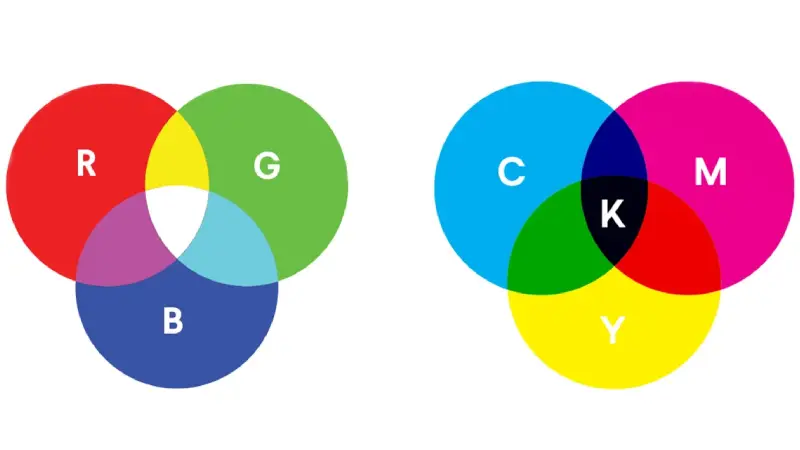
You see RGB every time you look at a phone, computer, or TV screen. RGB stands for Red, Green, and Blue. These three colors mix together using light. This color mode creates bright and vibrant colors because it adds light to make new shades. The color mode RGB can show a wide range of colors, even some that look almost neon or fluorescent. In fact, the RGB color gamut is about 30% to 40% wider than the CMYK color gamut. This means you can see more colors on your screen than you can print on packaging.
RGB Color Scheme | CMYK Color Scheme |
|---|---|
Used for digital works. | Used for print works. |
Primary colors: Red, Green, Blue | Primary Colors: Cyan, Magenta, Yellow, Black |
Additive Type Mixing | Subtractive Type Mixing. |
Colors of images are more vibrant | Colors are less vibrant. |
RGB Scheme has wider range of colors than CMYK | CMYK has lesser range of colors than RGB. |
What Is CMYK?
CMYK stands for Cyan, Magenta, Yellow, and Black. Printers use this color mode for packaging and other printed items. Instead of mixing light, CMYK mixes inks. This subtractive process removes brightness from white paper to create colors. CMYK cannot match the vibrancy of RGB. Some colors, like certain fluorescent shades, cannot be printed with CMYK. You need to know how to change to CMYK and how to change color to CMYK before sending your design to print. This step helps you see how your colors will look on the final packaging.
Tip: Always check your design in CMYK color mode before printing. This helps you avoid surprises with color shifts.
Why RGB vs. CMYK Matters for Packaging
The rgb vs. cmyk difference affects how your packaging looks. If you design in RGB and print in CMYK, your colors may look dull or different. This happens because RGB uses light, while CMYK uses ink. The color mode you choose changes the final result. Using the wrong color mode can lead to poor image quality and unprofessional packaging. You should always convert your files to CMYK before printing. BN PACK has over 22 years of experience with color conversion and knows how to change to CMYK for the best results. The team uses Pantone guides and advanced tools to match colors as closely as possible. Pantone colors help you get consistent results, even when switching between RGB vs cmyk. If you want to know how to change color to cmyk or need help with Pantone matching, BN PACK can guide you through every step. This ensures your packaging stands out on the shelf and matches your brand vision.
Color Shifts in Flexible Packaging
RGB on Screens vs. CMYK in Print
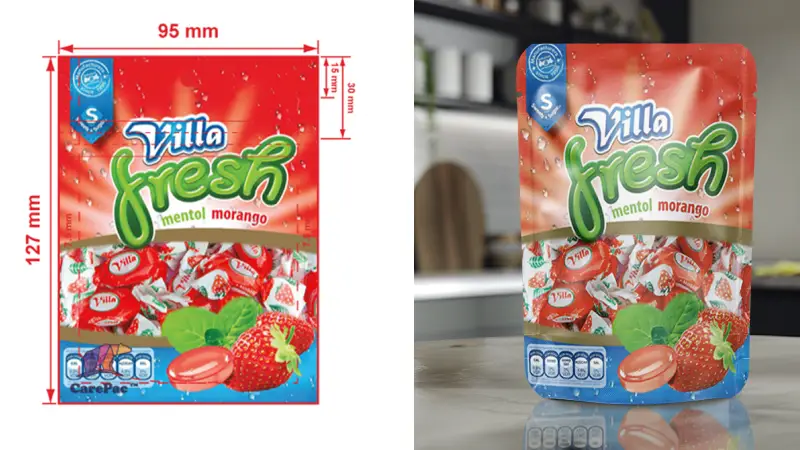
Colors on your screen look bright and bold. When you print on flexible packaging, colors can change. This happens because of the rgb vs. cmyk difference. RGB uses red, green, and blue light to make colors. CMYK uses cyan, magenta, yellow, and black ink. Light and ink work in different ways. Some colors on your screen cannot be printed the same way. For example, a bright blue on your computer may look less bright on plastic film. The color might look dull or not as strong. It is important to know how rgb vs. cmyk changes your packaging.
Common Color Differences
You might see color changes when switching from RGB to CMYK. Some colors lose their brightness. Logos can look less exciting after printing. RGB and CMYK have different color ranges, so colors may not match what you expect. Here are some common problems you might see:
Colors can look dull or less bright in print.
Brands can have trouble getting the right color.
You need to manage colors carefully for good results.
Calibration tools help keep colors correct.
Pantone matching helps you get closer to the color you want.
Designers use pantone guides to pick colors that print well in CMYK. Pantone colors help keep colors the same and stop surprises.
Printing Techniques and Variability
Printing methods and machines affect how colors look. BN PACK uses special printing to help stop color changes. The company checks quality to keep colors right. Here is how BN PACK’s process helps:
Quality Control Element | Impact on Color Consistency |
|---|---|
Ink Thickness | Makes sure color goes on evenly |
Cylinder Speed | Keeps printing speed the same |
Blade Pressure | Controls ink and stops smudges |
Statistical Process Control (SPC) | Checks color changes to meet standards |
BN PACK uses set ways to measure and check colors. The team makes color profiles for each job. They check quality often to find color problems early. Pantone colors and careful work help your packaging look good every time. You get results you can trust and fewer surprises with BN PACK.
Achieving Accurate Colors with BN PACK
Design in CMYK from the Start
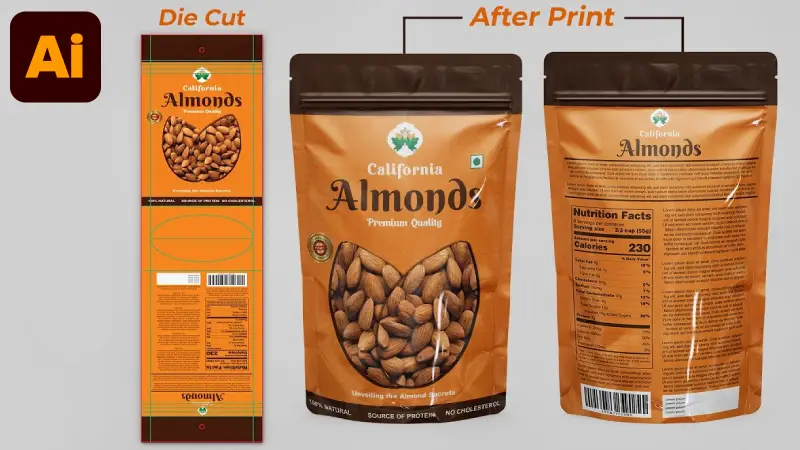
You want your packaging to look just like you planned. Start your design in cmyk color mode. This helps you see how colors will look on the final package. CMYK uses cyan, magenta, yellow, and black inks. These inks mix to make the colors you see when printed. Designing in cmyk stops surprises that happen when changing from rgb. RGB uses light and can show colors cmyk cannot print. If you pick cmyk from the start, your colors are more accurate. You also have better control over your brand’s look.
CMYK color mode helps keep your colors the same on all packaging. This is important for your brand. If you use rgb, colors may look bright on your screen. But they may not print the same way. CMYK gives you a good idea of what to expect. You can use ‘CMYK Preview’ in Adobe Illustrator to see how your design will print. This tool helps you find color changes before you print. For even better results, download BN PACK’s ICC Profile. Use it in your design software. This profile matches your design colors to BN PACK’s printing.
Tip: Always check your design in cmyk color mode and use the right ICC Profile for your packaging.
Request Print Proofs
Before you print a lot, ask for print proofs. Print proofs show how your packaging will look in real life. You can check the colors, layout, and quality. This step helps you find problems early. BN PACK gives you both digital and physical print proofs.
Here is a table that shows the types of proofs you can ask for:
Type of Proof | Description | When to Use |
|---|---|---|
PDF Proof | Digital file for checking content, layout, and position. | Simple designs, not for important colors. |
Printed Press Proof | Physical proof with real ink and material for color projects. | Complex designs or when rules must be followed. |
Print proofs help you compare your design to the printed package. You can use a color target from an old product or a Pantone swatch to check colors. During printing, the team checks the print against the target. This keeps your colors right and helps you get great packaging every time.
Work with BN PACK Experts
You do not have to handle color and printing by yourself. BN PACK’s team has over 22 years of experience with packaging and color. The experts know how colors work with flexible packaging. They understand the difference between rgb and cmyk and how each one changes your print.
When you work with BN PACK, you get help at every step:
The team helps you pick the right color mode for your project.
You get advice on using Pantone or other color systems for matching.
BN PACK uses software to match your design to real color targets.
The experts measure color with special tools before printing.
You get tips on how printing methods, like rotogravure or flexographic, change your colors.
BN PACK’s process includes proofing to make sure your product matches your design. The team makes changes before printing a lot. This careful work gives you confidence in your packaging. You get colors that are right, fewer surprises, and packaging that stands out.
If you want the best results, always share your color needs clearly. Use cmyk color mode, ask for print proofs, and trust BN PACK’s experts. These steps help you get the most from your packaging and make your brand look great.
Managing Expectations
Communicate with Your Printer
You want your packaging to look as close as possible to what you see on your screen. To do this, you need to talk clearly with your printer. Share your color goals and ask questions about the print process. Good communication helps you avoid surprises when you move from rgb on your screen to the final print. Here are some ways to make sure everyone understands your needs:
Use ICC profiles to help convert rgb to CMYK accurately.
Make sure all devices, like monitors and printers, are calibrated for color consistency.
Work together with everyone involved in your packaging project.
Tip: Always ask your printer for advice if you are unsure about how your colors will look after printing.
Understand Color Profiles
Color profiles play a big role in how your packaging turns out. If you do not use the right profile, your colors may shift from what you see on your screen to what you get in print. Here are some reasons why this happens:
Digital designs use rgb, which shows more colors than CMYK can print.
Monitors and printers need regular calibration to keep colors true.
Different machines and inks can change the way colors appear.
The material of your packaging can affect how the color looks.
Lighting in your workspace can make colors look different.
If you forget to set or embed the right color profile, the print may not match your design.
Proofs that do not match the final press can cause surprises.
People see colors differently, so clear communication is important.
Accept Some Variability
Even with the best planning, some differences between your screen and the final packaging are normal. Printing uses real inks and materials, so colors can change a little. BN PACK helps you manage these changes by working closely with you at every step. Here is how the process works:
Step | Description |
|---|---|
1 | You share your packaging needs, like size, material, and design. |
2 | BN PACK creates custom packaging ideas using advanced design tools. |
3 | You review a 3D image to check colors and layout before printing. |
4 | You get a sample to see the real material and print before full production. |
Note: Trust the process and stay in touch with your printer. This helps you get the best results for your packaging.
You notice color changes because screens use RGB light. Printed packaging uses CMYK ink instead. The kind of paper and printer also change colors. To get good results, design in CMYK. Ask for print proofs before printing many packages. Work with BN PACK experts for help. BN PACK gives you better color accuracy. You waste less material and feel happier with your packaging. BN PACK helps your packaging look bright and professional every time.
RGB uses light for color on screens.
CMYK mixes ink for printed packaging.
Paper and printer type affect color vibrancy.
BN PACK delivers consistent, accurate colors.