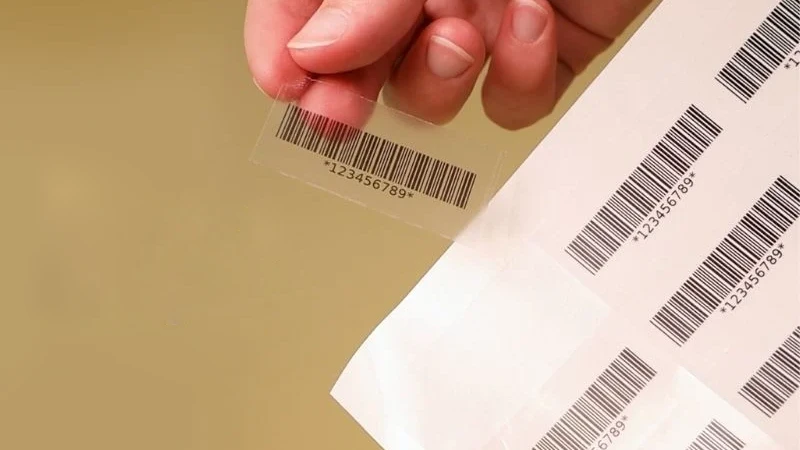
You can print scannable barcodes that scanners can read on metallic and clear films if you use the right method. You must pick label material and ink that stick well and are easy to see. A good label design makes it simple for scanners to read each scannable barcode. When you use film labels, make sure the glue and printing work for clear surfaces. These steps help you get good results anywhere.
Scannable Barcodes: Key Challenges
Reflectivity Issues on Metallic Films
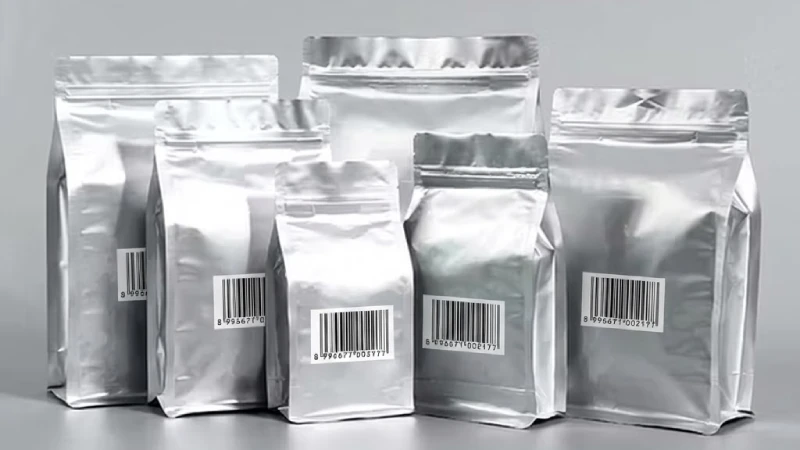
Printing barcodes on metallic films is tricky because of light reflection. Metallic surfaces bounce back most of the light. This can cause glare, which makes it hard for scanners to read scannable barcodes. If the lighting is not good, scanners may not tell the dark bars from the light spaces. Shiny metal glare can make barcode details hard to see. Metal reflections can also lower the contrast. This makes it tough for scanners to read codes, especially if the light keeps changing. Scratches or rough spots can mess up the barcode image and make scanning harder.
Metallic films can cause glare that makes scanning tough.
Glare makes it hard to see the dark and light parts.
Scanning may not work well if the lighting changes.
Low Contrast on Transparent Barcode Labels
Transparent barcode labels have their own problems. You need strong contrast for scanners to work well. If you print black bars right on a clear label, the barcode can blend into the background. This makes it hard for some scanners to find the barcode. You should put a solid white base behind the barcode to make it stand out. Black lines need to be easy to see for the scanner to read the barcode.
Strong contrast is needed for scanners to read clear labels.
Black ink on a light background works best for barcodes.
If the contrast is weak, scanning mistakes can happen.
Ink Adhesion and Durability
Ink sticking to film labels is very important. Metal and plastic do not let ink soak in well, so the ink may not stick. If the ink does not dry right, the print will not look good. The surface energy should be 40 dyne or more so ink sticks better. You need to make sure your label and ink work together so the ink does not smudge or peel off.
Failure Type | Description |
|---|---|
Insufficient ink adhesion | Metal, plastic, and synthetic paper do not let ink stick well. |
Incomplete ink curing | Thick ink or too much pressure can stop ink from drying. |
Surface energy issues | The surface should have 40 dyne or more for better ink sticking. |
Common Barcode Printing Mistakes
You can stop many problems by picking the right label and printer settings. If you use the wrong label, the barcode can get damaged. Labels that do not last can become hard to read. Bad printer settings can make the barcode look bad. For film labels, always pick the right label for where it will be used. Synthetic labels are better for outside or rough places.
Mistake | Description |
|---|---|
Using Wrong Label Media | The wrong label can get damaged by the environment. |
Label Material Selection | Weak materials can make barcodes hard to read. |
Printer Settings | Bad settings can make barcodes look bad. |
Tip: Always check your clear barcode labels in real lighting to make sure scannable barcodes work right.
Barcode Printing Solutions for Metallic and Transparent Films
Printing Technologies for Scannable Barcodes
There are many ways to print barcodes on metallic or clear films. Some printers do a better job than others. You should pick a printer that makes sharp and clear barcodes. The table below lists some top printers and what they can do:
Printer Model | Technology Type | Key Features |
|---|---|---|
Markem-Imaje 9330 | CIJ | Versatile, cost-effective, prints for over 8,000 hours non-stop. |
Markem-Imaje 9750+ | CIJ | Polyvalent ink circuit for flexibility in printing. |
Markem-Imaje 5800 | LCIJ | Lower-cost solution with Touch Dry® ink technology for medium throughput applications. |
Markem-Imaje 5940 G | LCIJ | Consistently scannable barcodes with high uptime and throughput. |
Markem-Imaje 1050 | TIJ | Low-maintenance, produces readable 1D and 2D barcodes. |
SmartLase® laser | Laser | High-quality, permanent codes for flexible film packaging applications. |
Thermal transfer printers also work for film labels. These printers use heat to move ink from a ribbon onto bopp or clear films. This makes barcodes that last a long time. When picking a printer, think about how many labels you need and how fast you want to print.
Digital and flexographic printing are different. Digital printing does not need special plates, so it saves time and money. It gives bright colors and sharp details, even for small jobs. Flexographic printing is good for big jobs and tough places. It uses special inks and coatings to help barcodes last longer on bopp or clear labels.
Aspect | Flexographic Printing | Digital Printing |
|---|---|---|
Costs | Requires multiple custom plates for each color, leading to high initial costs. | No custom plates needed, reducing costs and setup time significantly. |
Print Quality | Good for long runs but struggles with fine details and high-resolution images. | High precision and vibrant colors, even for intricate designs. |
Turnaround Time | Longer setup time due to plate alignment, but fast for large runs once set up. | Quick turnaround with no setup time, ideal for smaller batches and fast adjustments. |
Environmental Impact | Generates waste from plates and setup, but can be efficient for large runs. | More eco-friendly as it eliminates plates and uses only the necessary amount of ink. |
Durability | Excellent for tough conditions like moisture and heat. | Durable with the right materials, but may not withstand extreme conditions as well as flexo. |
Tip: Digital printing is great for short runs of clear barcodes. Flexographic printing is better for big orders or tough places.
White Ink Underprint and Opaque Bases
A white ink underprint or opaque base helps your barcode stand out on metallic and clear labels. Without this layer, the barcode can blend in and be hard to scan. The white underprint gives a solid background, so the barcode is easy to see.
When printing on clear films like bopp, always add a white layer under the barcode. This step is important for scannable barcodes. It helps the black bars show up, even on dark or shiny surfaces. Use a white underprint for metallic films too. This stops the shiny surface from making the barcode hard to scan.
Note: Not using a white ink underprint is a common mistake. Always check your print setup before labeling with film.
Color Combinations for Optimized Scanning Performance
Barcodes need high contrast so scanners can read them fast. The best color mix is black bars on a white background. This works for both metallic and clear labels. If you use bopp film, make sure the white underprint is bright and solid. Do not use red or yellow for the bars. These colors do not reflect enough light for most scanners.
Here are some color tips for film labels:
Use black bars on a white or solid background.
Make sure the background is not shiny or see-through.
Do not use light colors for the bars or background.
For clear labels, always check the contrast after putting the label on the product.
Callout: High contrast is very important for clear barcodes. Always test your color choices in real lighting.
Laser Engraving and Etching for Metal Labels
Laser engraving makes a barcode that stays on metal labels. This method works well in tough places. The barcode will not peel, fade, or smudge. You can use laser marking for bopp or metallic films if you need extra strength. The table below shows how laser marking compares to regular labels:
Feature | Labels | Laser Marking |
|---|---|---|
Durability | Can peel, fade, or smudge | Permanent, withstands harsh conditions |
Compliance | Risk of unreadable labels | Always legible, even under stress |
Laser etching has some limits. If the barcode is too small, scanners may not read it well. Big barcodes take more time and power to engrave. Laser etching can also make stress points on the metal, which may cause cracks. Sometimes, the process makes fumes that need to be controlled.
Small barcode cells are harder for scanners to read.
Large barcodes need more laser power and time.
Laser etching can create stress points and fumes.
Tip: Use laser engraving for metal labels when you need the barcode to last. Always check the size and spot to avoid scanning problems.
Barcode Design for Optimized Scanning
Choosing Barcode Types and Sizes
You have to choose the right barcode type and size. Some barcodes work better on shiny or clear labels. The table below shows which barcode types are good for different uses and surfaces:
Barcode Type | Characteristics | Suitable Surfaces |
|---|---|---|
1D Barcodes | Simple, efficient, stores data in lines and spaces | Retail, healthcare, industrial |
2D Barcodes | Holds more data in a small space | Marketing, ticketing, ID labels |
Small barcodes are hard to scan on shiny or clear films. Glossy finishes can make glare that hides barcode lines. Matte or semi-gloss labels help scanners see better. Thin bopp labels bend and fit on curved or bumpy things.
Quiet Zone and Placement Best Practices
A quiet zone is the empty space around your barcode. This space helps scanners know where the barcode starts and ends. You should always keep at least a one-module-wide quiet zone around the barcode. The table below explains why quiet zones are important:
Best Practice | Description |
|---|---|
Maintain at least a 1× quiet zone | A full module-width margin isolates the symbol from background patterns and prevents misreads. |
Quiet Zone | The empty space surrounding a 2D barcode is crucial for barcode readers to function properly. |
If you skip the quiet zone, scanners may not read your barcode. Plan your label so the barcode has enough space.
Color and Contrast for Transparent Barcode Labels
You need strong contrast for clear barcode labels. Use black ink on a white background for best results. Do not put clear barcode labels on dark or busy packages. If your product is dark, add a white layer under your label. This step makes the barcode easy to see and scan. Bopp labels with a white base work well for this.
Use black on white for high contrast.
Do not use dark or patterned backgrounds.
Add a white layer for dark products.
Avoiding Quiet Zone Encroachment
Quiet zone encroachment means something touches or covers the blank space around your barcode. This mistake can cause scanning problems. The table below shows why you must keep the quiet zone safe:
Aspect | Details |
|---|---|
Quiet Zone Definition | A blank area or margin on either end of a barcode. |
Importance | Tells a scanner where the barcode starts and stops. |
Minimum Requirement | Usually at least an eighth of an inch. |
If you do not keep the quiet zone clear, scanners may not read your barcode. This problem happens more with clear barcode labels and bopp films. Always check your label after putting it on to make sure the quiet zone is open.
Tip: Good quiet zones and strong contrast help scanners read clear barcode labels and bopp films.
Quality Control for Scannable Barcodes
Testing with Different Scanners
You should test your barcode with many scanners. Some scanners work better on metallic labels. Others work better on transparent barcode labels. Metallic surfaces bounce light and make scanning hard. Glass and clear films bend light and cause problems. Try both handheld and fixed-mount scanners. You can get better scans by reverse printing the barcode. Add a white background or use pre-printed labels. Always check the barcode on the final product. This is important when you use film or bopp.
Test with different scanners to get good results.
Use a white background for clear barcode labels.
Try reverse printing for hard surfaces.
Environmental and Lighting Considerations
Think about where you will use your barcode. Sunlight and UV rays can fade the print on clear barcode labels and bopp films. UV-reflective additives and UV protection coatings help keep barcodes easy to read. These coatings stop fading and damage, even outside. Good contrast between the barcode and background helps scanning in all lighting. Protect your label from water and scratches. Pick the right ribbon and coating for your label.
Tip: Always test clear barcode labels in the same light and place you will use them.
Ongoing Quality Assurance for Optimized Scanning Performance
Set up regular checks to keep your barcode easy to scan. Use inline monitoring cameras that follow ISO/IEC 15415 rules. These cameras watch every barcode during production. Standalone verifiers help you check samples and find problems early. Regular testing makes sure your barcode meets standards and stays scannable. Machine vision cameras and verification software can grade your barcode. They can also tell when it might wear out.
Practice | Description |
|---|---|
Inline Monitoring | Use cameras to check every barcode during production. |
Standalone Verifiers | Test samples to catch issues before shipping. |
Regular Testing | Check barcode quality often to meet standards and avoid waste. |
You can keep your clear barcode labels, bopp films, and metallic labels working well by following these steps. This helps you get good scanning every time.
Avoiding Barcode Printing Errors
Skipping White Underprint on Metallic or Clear Films
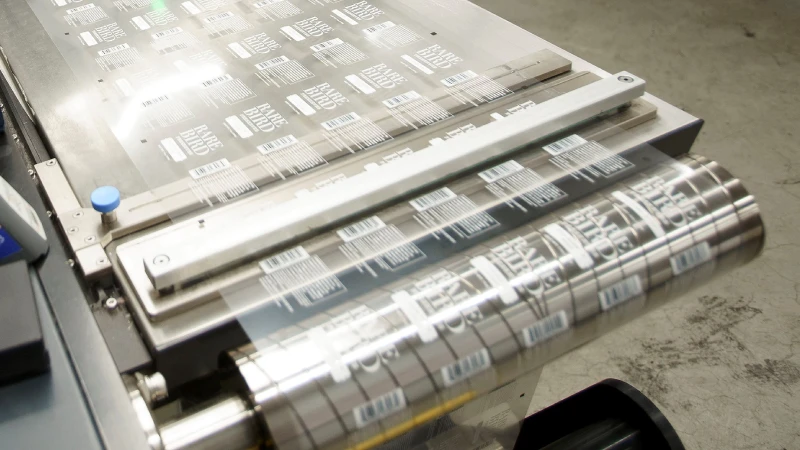
Some people try to print barcodes right on metallic or clear films. This can cause problems when you scan them. If you do not use a white underprint, the barcode can mix with the background. Scanners may not see the barcode lines or edges. You should always put a white layer under the barcode on transparent or bopp films. This makes the barcode easy to see and scan. If you skip this step, the barcode might look faded or not scan at all. Good labels and ribbons also help stop these problems.
Tip: Try scanning your barcode on the real product before you start labeling. This helps you find mistakes early.
Incorrect Color Combinations
Picking the right colors is very important for barcode scanning. Black bars on a white background are the best choice. If you use light colors or put black on a dark background, the barcode is hard to read. Transparent and bopp films need extra care because the background can show through. This can make the barcode hard to see. Do not use red, yellow, or other light colors for the barcode. These colors do not reflect enough light for scanners. Change the print darkness and speed to make the barcode clear.
Always use black bars on a white background for clear barcode labels.
Do not use shiny or light backgrounds.
Check your barcode in different kinds of light.
Overlooking Material and Ink Compatibility
You need to make sure your ink and film work well together. Some inks do not stick to transparent or bopp films. If the ink comes off or smears, the barcode will not scan. Always test your ink and film before you print a lot of labels. Make sure the surface energy is high so the ink sticks well. Clean your printer often to keep dust and glue away from your barcode. Think about where your label will be used. Heat, water, and chemicals can hurt clear barcode labels.
Common Mistake | How to Avoid It |
|---|---|
Using the wrong ink or film | Test ink and bopp film before full production |
Poor label alignment | Calibrate your printer for transparent surfaces |
Ignoring environmental risks | Use coatings for barcode protection |
Note: Always check your barcode often and try scanning it with different scanners. This helps keep your clear barcode labels easy to read.
You can put a barcode on a metallic or clear label if you do things the right way.
Always add a white underprint so the barcode is easy to see and people can see the product too.
Make sure the quiet zone around the barcode stays empty so scanners can read it better.
Try scanning your barcode on clear film stickers and retail inventory labels to see if it is safe and shows if someone tries to open it.
Talk to experts if you want to know more about keeping your barcode safe in real life.
Tip: If you plan carefully, your barcode will scan well and your label will stay strong.